Cofeera: A Google Slide Template for Cohesive Brand Storytelling
Imagine you've just finalized your new brand strategy. You have the colors, the logo, the messaging. Now, you need to present it to your team, your investors, or your first major client. You open a blank Google Slides presentation and stare at the empty canvas. How do you translate the polished essence of your brand into a deck that feels equally professional and engaging? The gap between a brilliant idea and a compelling visual presentation often lies in the tools you choose. This is where a thoughtfully designed asset like the Cofeera - Google Slide Template steps in, not just as a collection of slides, but as a framework for visual communication.
Beyond Bullet Points: The Anatomy of a Cohesive Deck
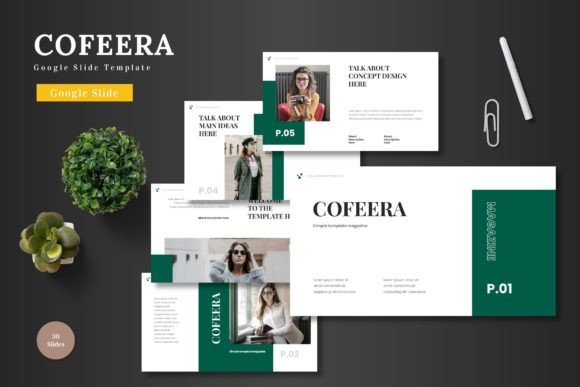
A presentation template's true value isn't in its slide count, but in its ability to enforce visual consistency. Cofeera offers over 150 slides across five premade color schemes, each with 30 purposefully built layouts. This structure is its core strength. When you switch from a title slide to a data visualization slide to a quote slide, the typography, spacing, and graphic language remain unified. This consistency does more than look good; it builds trust. For a small business owner pitching a new product line, this means your audience focuses on your message, not on jarring design shifts between slides. For a marketer presenting a quarterly report, it means data feels integrated into a story, not just listed on a page.
Practical Applications for the Modern Creator
The utility of a versatile template like this extends far beyond the boardroom pitch deck. Consider the workflow of a content creator or a blogger. You might use a single deck to plan your editorial calendar, storyboard a video series, and then repurpose the same visual assets to create branded quote graphics for Instagram or Pinterest. The pixel-perfect illustrations and handcrafted infographics included become a reusable library, saving hours of searching for or creating new graphics. A freelance designer could leverage the master slides to quickly mock up website section layouts or packaging concepts for client reviews, ensuring the presentation itself is a showcase of professional design thinking.
For entrepreneurs in e-commerce or product-based businesses, the template becomes a dynamic tool for internal and external communication. Use the portfolio and gallery slides to catalog product variations, create compelling lookbooks, or develop clear instructional guides for your team. The drag-and-drop picture placeholder feature is particularly valuable here, allowing you to swap product images seamlessly while maintaining the overall layout integrity. This means you can create a presentation for a potential stockist in the morning and adapt the same deck into a visual guide for your social media manager in the afternoon, all while preserving brand alignment.
Making Design Decisions That Matter
Choosing a design asset is a practical decision. Here’s how to approach a resource like Cofeera with a strategic mindset:
- Start with Your Goal: Are you creating a persuasive sales deck, an informative training module, or a creative mood board? The template's section break slides and varied layouts can help you map the narrative flow of your presentation before you even input your content.
- Customize with Purpose: The five color schemes are a starting point. Use the editable master slides to infuse your exact brand colors. This single step transforms the template from a generic tool into an extension of your brand identity. The same principle applies to fonts; while the template includes suggested pairings, you can and should substitute in your brand's typeface if it's available for Google Slides.
- Focus on Readability: A beautiful slide is useless if the audience can't read it. The clean, scalable design of Cofeera is built with this in mind. However, always test your slides. View them on different devices and in the actual presentation environment. Ensure text has sufficient contrast against its background and that infographic elements are clear at a glance.
Integrating Assets into Your Broader Ecosystem
Think of a presentation template not as an isolated file, but as part of your larger toolkit for visual communication. The graphics and layout principles from a Cofeera slide can inspire the structure of a website landing page or the layout of a print brochure. The consistent use of a specific illustration style or icon set across your slides can be extended to your social media graphics, creating a recognizable visual thread for your audience. This practice strengthens brand recognition and contributes to a more professional presentation across all touchpoints.
Ultimately, the goal is to reduce friction between your idea and its execution. A well-organized, editable template provides guardrails that prevent design missteps and accelerate the creation process. Whether you're a solo entrepreneur building your first pitch, a marketing team standardizing internal communications, or a designer looking for a reliable starting point for client work, having a robust, flexible template like Cofeera - Google Slide Template in your repository means you're always prepared to present your ideas with clarity and style. It’s about having the right framework so you can focus on what you do best: telling your story.