Palreyan: A Google Slide Template for Polished Visual Narratives
Imagine walking into a client meeting, a team workshop, or a webinar with a presentation that feels instantly cohesive, visually striking, and effortless. That’s the kind of confidence a well-designed slide deck can instill. For many of us—whether we’re pitching a new service, outlining a quarterly report, or teaching a complex concept—the struggle isn’t just about the content, but how to present it without spending hours wrestling with design software. This is where a thoughtfully crafted Google Slide template like Palreyan steps in, not as a mere shortcut, but as a foundational tool for professional visual communication.
Beyond the Basics: What Defines the Palreyan Experience?
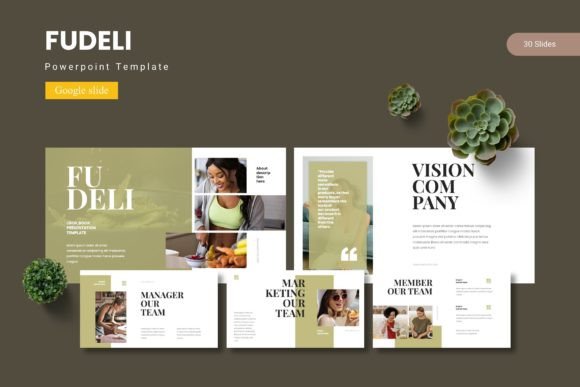
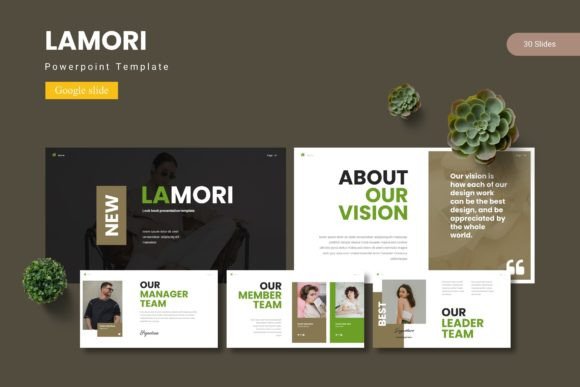
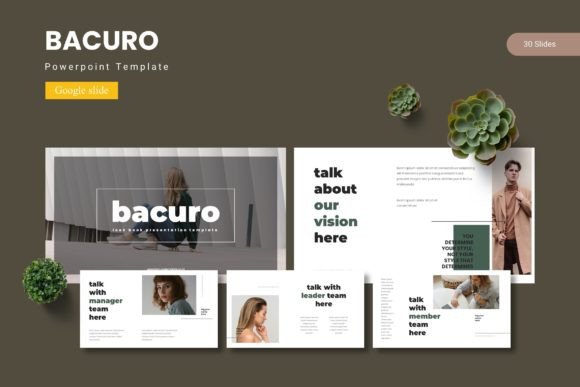
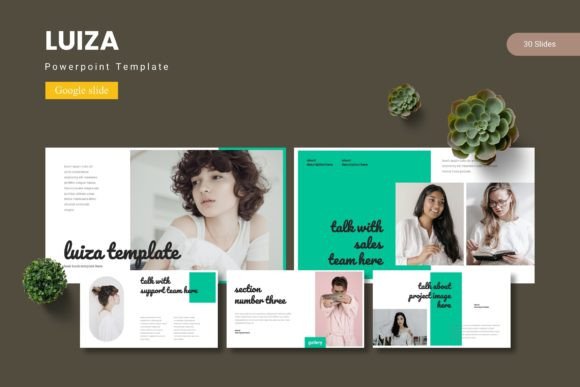
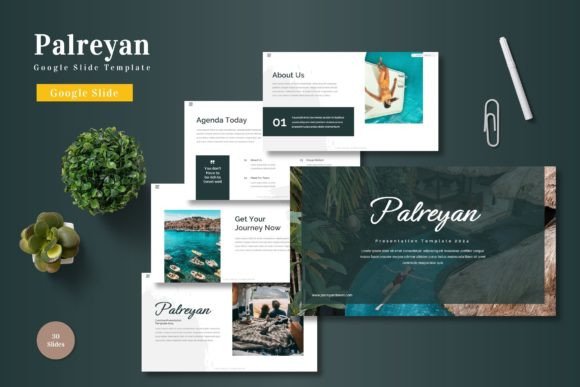
At its core, the Palreyan template is a collection of over 150 slides built on five distinct color schemes, offering a robust starting point for virtually any presentation need. But its real value lies in the design philosophy. Each of the 30 slides per color variant is crafted with a clear visual hierarchy, ensuring that your key messages aren’t lost in clutter. The layouts are balanced, using clean lines and ample white space to guide the viewer’s eye naturally from one point to the next. This isn’t about flashy animations; it’s about structured, purposeful design that supports your narrative.
For the entrepreneur or small business owner, this translates to immediate credibility. A startup pitch deck built on a consistent, professional template signals attention to detail and seriousness of purpose. For the marketer or content creator, it means you can rapidly produce webinar slides, social media carousels, or training materials that align with your brand’s visual language without starting from zero each time. The inclusion of handcrafted infographics is particularly useful here—turning complex data into digestible visual stories that enhance, rather than overwhelm, your spoken words.
Practical Applications Across the Creative Spectrum
Think of this template not as a static file, but as a versatile design system. Its utility extends far beyond a typical business presentation. Consider these scenarios:
- Brand & Identity Work: Use the template’s consistent layouts to create brand guideline presentations for clients, showcasing logo usage, color palettes, and typography rules in a polished format.
- Marketing & Social Media: The gallery and portfolio slides are perfect for visually highlighting case studies, client testimonials, or product features. You can easily adapt a slide layout into a series of engaging Instagram or LinkedIn graphics by exporting individual slides.
- Educational & Workshop Materials: The clear section break slides help segment content logically, making it ideal for training manuals, course modules, or workshop handouts that need a professional, organized feel.
- Internal Communications: From quarterly reports to project kick-off decks, the template ensures internal documents maintain a high standard of clarity and professionalism, boosting team alignment and engagement.
The pixel-perfect illustrations and resizable graphics are key here. They allow you to maintain visual integrity whether you’re presenting on a large screen or repurposing a slide element for a printed poster or a digital brochure. This adaptability is crucial for maintaining a cohesive brand identity across all touchpoints.
Maximizing Impact: Design Tips for Template Users
Having a great template is one thing; using it effectively is another. Here’s how to make the Palreyan template work harder for you:
Start with Your Content, Not the Slides. Before you even open the file, outline your core message and story arc. What is the single most important takeaway for your audience? Structure your content first, then choose the slide layouts that best support each point. This prevents you from forcing content into a visually appealing but mismatched slide.
Embrace Consistency, But Don’t Be Afraid to Customize. The five color schemes provide a fantastic starting point. Pick one that resonates with your brand or topic, and then use it consistently. However, the template is fully editable. Change the colors to your exact brand hex codes, swap placeholder images with your own high-quality photos, and adjust fonts if your brand guidelines require it. The master slide feature makes these global changes simple and efficient.
Pair Typography Thoughtfully. While the template comes with its own suggested fonts, understanding basic font pairing principles can elevate your work. If you swap fonts, ensure you have a clear hierarchy: a distinctive font for headlines, a highly readable one for body text. Limit yourself to two, perhaps three, font families to avoid visual chaos. This attention to typographic detail significantly impacts readability and overall professionalism.
Test for Multiple Formats. Will this presentation only be viewed on screens, or will you be exporting slides as PDFs for download? Will any elements be used in print? Check your design at different zoom levels. Ensure text remains legible and that key visuals aren’t cropped awkwardly if the aspect ratio changes. The “picture placeholder, drag & drop” feature is a huge time-saver, but always verify the final composition.
Integrating a Design Asset into Your Workflow
Ultimately, a resource like the Palreyan Google Slide template is about efficiency and quality. It’s a design asset that saves you time, reduces decision fatigue, and provides a professional scaffold for your ideas. For the freelancer juggling multiple clients, it means delivering polished work faster. For the small business owner, it means presenting your company with the visual polish of a much larger operation. For the educator or blogger, it means your ideas are communicated with the clarity and engagement they deserve.
It’s important to remember the note on licensing: the preview images are for demonstration only. Always use your own licensed images or source from reputable free stock photo sites to avoid copyright issues. The true power of the template is unlocked when you infuse it with your unique content, brand personality, and strategic messaging. By doing so, you transform a collection of slides into a compelling visual story that captivates your audience and drives your objectives forward.