Duloga: Crafting Cohesive Visual Stories for Your Brand
You have a brilliant idea, a business plan, or a creative project that needs to be presented to the world. The challenge isn't just having the content; it's packaging that content in a way that is visually compelling, professional, and instantly recognizable. Whether you're pitching to investors, onboarding new clients, or sharing your portfolio, the presentation is often the first impression. A disjointed, poorly designed deck can undermine even the most solid concept. This is where a thoughtfully designed template system, like the Duloga Google Slide Template, moves from being a nice-to-have to a critical design asset for your workflow.
A Visual System, Not Just a Slide Deck
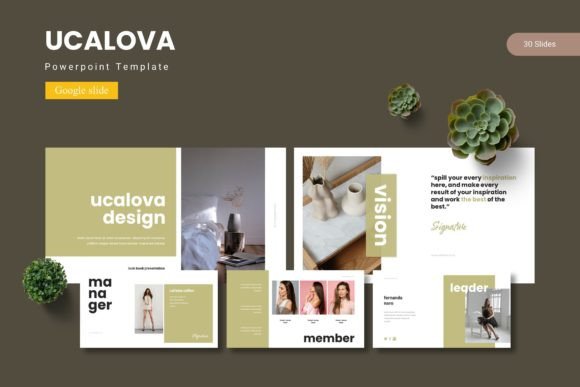
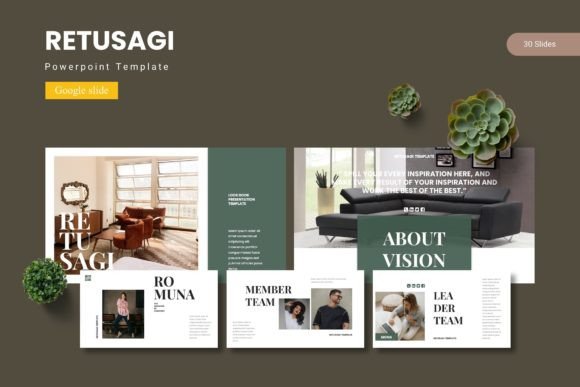
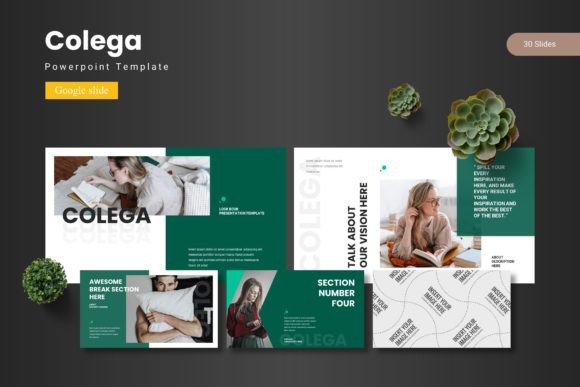
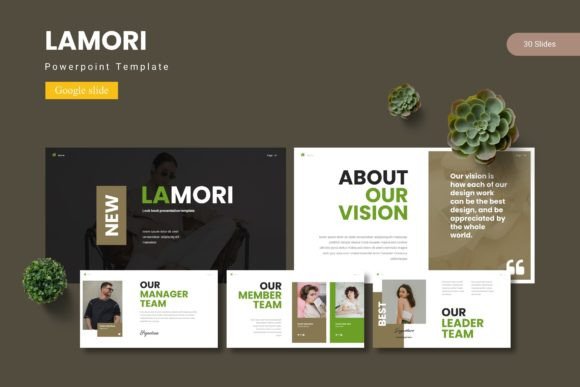
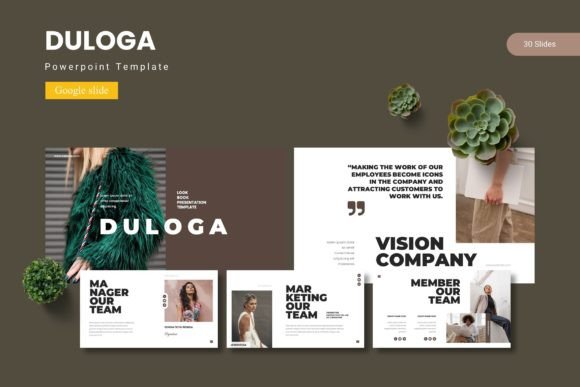
At its core, Duloga is a comprehensive presentation kit built on Google Slides. It provides a structured framework with over 150 total slides, organized into 30 distinct slides per each of the five premade color themes. This isn't a collection of random layouts; it's a cohesive system designed for visual storytelling. The inclusion of section break slides, handcrafted infographics, and pixel-perfect illustrations means you're starting with a professional foundation. Every graphic element is resizable and editable, and the use of master slides ensures that any change you make—like updating a font or color—propagates consistently throughout the entire presentation, saving you hours of manual adjustment and preventing visual errors.
The real power lies in its adaptability. The picture placeholder function allows for a simple drag-and-drop workflow, making it effortless to insert your own images and content. This template is designed for the entrepreneur or creator who needs to move fast without sacrificing quality. It's about achieving that polished, agency-level look for your brand identity, marketing assets, or client proposals without starting from a blank canvas every time.
Practical Applications Across Your Brand Ecosystem
Think beyond the conference room. A well-structured template like Duloga serves as a hub for multiple brand touchpoints. The consistent color schemes and layout principles can inform your design process across various mediums.
- Brand & Marketing Presentations: Create stunning investor pitches, company overviews, and quarterly reports that tell a clear, branded story.
- Social Media & Digital Content: Use the individual slides as templates for Instagram carousels, Facebook post graphics, or YouTube thumbnails, ensuring your digital presence is visually unified.
- Print & Editorial Design: Export slides as high-resolution images for use in PDF brochures, one-sheets, lookbooks, or even as the basis for editorial layout in magazines or blog graphics.
- Product & Packaging Mockups: The clean layouts and editable graphics are perfect for showcasing product lines, creating simple packaging mockups, or displaying portfolio pieces for designers and crafters.
- Internal & Client-Facing Materials: Develop professional training manuals, project proposals, and client onboarding documents that reinforce your brand's professionalism.
For a small business owner, this means your webinar slides, your sales deck, and your social media graphics can all speak the same visual language, strengthening brand recognition with every interaction.
Enhancing Communication Through Thoughtful Design
A template's value is measured by how well it communicates. Duloga’s structure is built around clarity. The pre-designed infographic slides help translate complex data into digestible visual narratives, which is crucial for keeping an audience engaged. The clean, modern typography and balanced whitespace improve readability, ensuring your message isn't lost in visual clutter.
When selecting a template, consider its alignment with your project's goals. A minimalist, sans-serif-based theme might suit a tech startup's sleek pitch, while a template with more decorative elements could be ideal for a creative portfolio or a wedding invitation business. The five color variations in Duloga offer a starting point, but the true test is in customization. Can you easily swap the fonts to match your brand's existing typeface? Can the color palette be adjusted to your exact hex codes? A good template provides a flexible skeleton, not a rigid cage.
Maximizing Your Design Asset
To get the most out of a tool like this, integrate it into your design process intentionally. Start by auditing your existing brand assets—your logo, color codes, and preferred fonts. Then, use the template as a sandbox to apply those assets systematically. Test how your brand's serif font pairs with the template's sans-serif headings. Experiment with using your brand's primary color in the slide accents and a secondary color for backgrounds.
Remember, the goal is visual consistency, which builds trust and professionalism. Before finalizing any presentation, review it for typographic hierarchy. Are your headings, subheadings, and body text clearly differentiated? Is there enough contrast between text and background colors for easy reading? Run a test by viewing your slides from a distance or on a mobile device to check for legibility. This practical, hands-on approach ensures the template serves your brand, not the other way around.
Ultimately, a resource like the Duloga Google Slide Template is about efficiency and quality. It provides a professionally designed starting point, allowing you to focus your energy on the content and strategy that truly matter to your audience. It’s a tool for the modern creator or business owner who understands that strong visual communication is a key component of success.